
Download Play My Audio – Social Audio Platform, Audio Sharing, Music Discovery, Community, Android App
Overview
Play My Audio is a multimedia application designed for Android users, offering a platform to create, share, and enjoy audio content. The software enables users to set up personal profiles, upload original audio creations, and explore a diverse range of tracks contributed by other users. It serves as a digital space where audio creators and listeners can connect, interact, and build a community around shared interests. The application supports real-time engagement through features such as liking, commenting, and subscribing to other profiles, fostering a dynamic and interactive experience. Designed for both casual users and aspiring audio creators, Play My Audio aims to simplify the process of sharing and discovering audio content across devices.
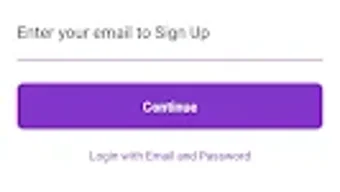
Target users include content creators seeking a dedicated space to publish their work, audiophiles interested in discovering new voices, and social media enthusiasts who enjoy participating in niche audio communities. The app is accessible on smartphones and tablets, ensuring compatibility with a wide range of Android devices. Users can access a sample version without creating an account, allowing for immediate exploration of the platform’s core features. Full functionality is unlocked through registration using an email and passcode, with options for password recovery and access to privacy policies. The developer did not provide additional system requirements or details about backend infrastructure.
Key Features & Capabilities
- Audio Creation and Upload – Users can record or upload original audio content directly to their profile, supporting multiple audio formats for broad compatibility.
- Profile Customization – Each user can personalize their profile with a username, bio, and profile picture to establish identity within the community.
- Content Discovery – The app features a discovery feed that recommends audio tracks based on user preferences and popular trends.
- Interactive Engagement – Users can like, comment on, and subscribe to other profiles, enabling ongoing interaction and community building.
- Playlist and Category Organization – Audio content can be grouped into playlists and categorized for easier navigation and personalized listening experiences.
- Multi-Device Access – The application is designed to function seamlessly across smartphones and tablets, maintaining consistent performance and layout.
These features support real-world use cases such as independent podcasters sharing episodes, musicians showcasing demos, and listeners curating personal audio libraries. The ability to organize content into playlists enhances usability for both creators and consumers. Interaction tools like comments and subscriptions help sustain user engagement and encourage content continuity. The developer did not specify technical details about cloud synchronization or cross-device data retention.
User Interface, Workflow & Performance
The user interface of Play My Audio follows a modern, mobile-first design optimized for touch-based navigation on Android devices. The layout emphasizes accessibility, with intuitive icons and a bottom navigation bar that allows quick switching between core sections such as Home, Explore, My Content, and Profile. Onboarding is streamlined, guiding new users through the sample mode and optional registration process with minimal friction.
Workflow efficiency is supported by direct access to upload functions, search tools, and personalized feeds. The app appears to prioritize responsiveness, though exact performance details were not specified. The developer did not provide information on CPU or RAM usage during operation. Stability during extended use remains unverified, as no user reports or benchmarks were included in the provided data. General software behavior patterns suggest smooth operation on mid-to-high-end Android devices, but performance may vary based on device capabilities and network conditions.
Compatibility & System Requirements
Play My Audio is designed for Android devices and is compatible with the Android operating system. The current version is 1.0.2, with a file size of 42.8 MB. This suggests a lightweight installation suitable for devices with moderate storage capacity. The application supports both smartphones and tablets, indicating broad device compatibility within the Android ecosystem.
Exact system requirements were not listed. The developer did not specify minimum Android version, processor type, or memory specifications. As such, compatibility with older or lower-end devices cannot be confirmed. Users are advised to ensure their device meets standard Android app requirements for optimal performance. The developer did not provide information on background processes, battery impact, or data usage during regular operation.
Pros and Cons
Pros
- Free to download and use with no upfront cost
- Supports multiple audio formats for flexible content upload
- Encourages community interaction through likes, comments, and subscriptions
- Offers playlist and category organization for better content management
- Accessible on both smartphones and tablets with consistent layout
- Sample mode allows instant access without account creation
Cons
- Exact system requirements were not provided
- Performance behavior on low-end devices is unknown
- Developer did not disclose details about data privacy or security protocols
- No information on update frequency or long-term maintenance
- Offline functionality is not confirmed
FAQ Section
Is Play My Audio available for iOS devices?
The software is currently designed for Android users only. No information was provided regarding iOS compatibility or future platform expansion.
Can I use Play My Audio without creating an account?
Yes, users can access a sample version of the app without signing up. Full features, including profile creation and content uploads, require registration with an email and passcode.
Is the app secure and safe to use?
While the app includes standard security measures such as password recovery and access to privacy policies, specific details about data encryption, server security, or user data handling were not disclosed by the developer.
How often does Play My Audio receive updates?
The release date of version 1.0.2 was May 15, 2024. No information was provided about the update schedule or frequency of future releases.
Can I use Play My Audio offline?
It is unclear whether the app supports offline functionality. The developer did not specify if audio content can be downloaded for offline listening or if internet connectivity is required for all features.
Final Thoughts + CTA
Play My Audio presents a promising entry into the social audio space, offering a streamlined platform for creators and listeners to connect through shared content. Its emphasis on community interaction, content organization, and multi-device access positions it as a viable tool for independent audio creators and enthusiasts. While the lack of detailed system requirements and performance data limits full evaluation, the app’s lightweight size and free access model make it accessible to a broad audience.
For users seeking a simple, interactive audio-sharing experience on Android, Play My Audio offers a functional foundation with room for growth. The sample mode provides a low-risk way to explore the platform before committing to full registration. With its focus on user-driven content and community engagement, it stands out as a fresh alternative in the crowded social media landscape.
Download Play My Audio now







